


Yugioh Card Maker
4.021.00 Reviews
App Specs
- Version
- 2.0.0
- Updated On
- License
- Free
- Downloads
- 50,000+
- Developer
- AppTecc
- Categories
- Comics
- Platform
- Android
Screenshots
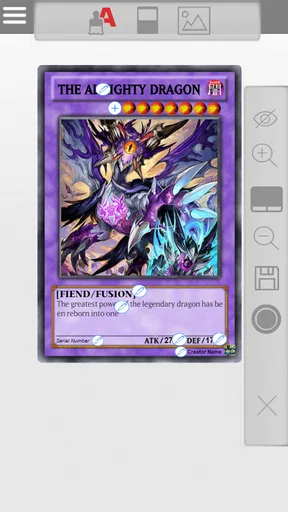
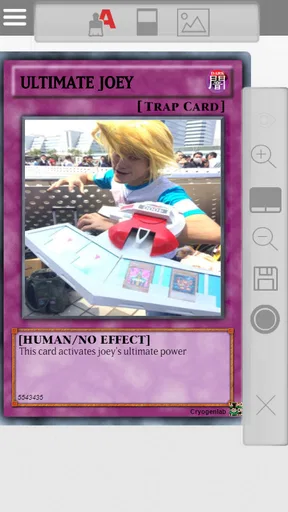
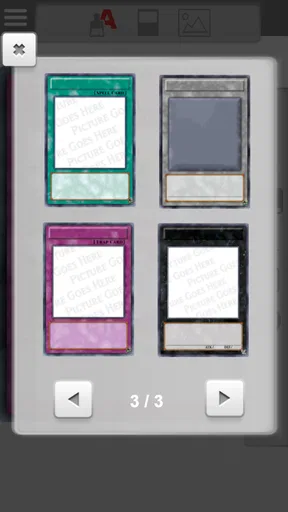
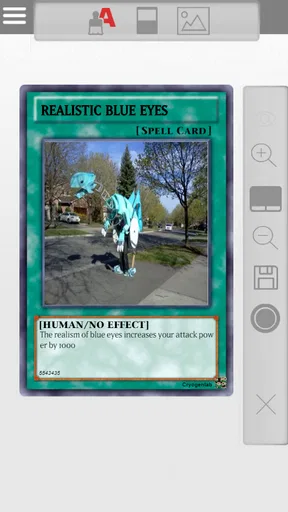
 Analysis by AppCompare
I approached Yugioh Card Maker as a creative comics app rather than a complete card game. That distinction matters. Its purpose is to let me design custom Yu-Gi-Oh!-style cards and turn ideas, jokes, character concepts, or memes into something that looks ready to share. I found the appeal strongest when I treated it as a quick visual workshop: decide what the card should say, arrange the details, check the result, and save the finished concept for a friend.
The app is free to download, with optional in-app purchases priced at $2.49 per item. It comes from AppTecc, has an Everyone content rating, and runs on Android 7.0 or later. Its current version is 2.0.0. Those details make it accessible to a wide range of casual users, especially people who want to experiment without committing to a subscription or buying a physical card-making kit.
What I like most is that the idea is immediately understandable. I do not need to learn a complicated drawing program before creating something recognizable. At the same time, this is not a replacement for an official Yu-Gi-Oh! collection, deck builder, or competitive simulator. The value is in personal expression, humor, and fan-made concepts. If that is what you want, the app has a clear reason to exist.
How the creative workflow feels in everyday use
The first useful question is not “Can this make a real tournament card?” but “What kind of custom card do I want to make?” I can imagine using it to invent a dramatic monster for an original character, create a deliberately absurd effect for a group chat, or turn an inside joke into a card-shaped image. That flexible purpose gives the app more life than a simple novelty tool, because the same basic editor can support both serious fan creativity and quick comedy.
I would start with the card’s identity before worrying about decoration. Choosing a name, deciding what kind of character or object it represents, and writing a short effect description gives the design a direction. A common mistake with custom-card tools is trying to fill every field immediately. I get better results by first deciding whether the card is meant to look believable, funny, powerful, or intentionally ridiculous. The visual choices then become easier to judge.
The app’s strongest use case is a short creative session. For example, imagine a friend’s birthday coming up and a shared joke about their habit of arriving late. Instead of sending another ordinary meme, I could make a custom card whose theme is that habit, give it an exaggerated ability, and share the finished image. The process is more personal than searching for a reaction picture, while still being simple enough to complete during a break.
It also works well for fans who enjoy the design language of trading cards but do not want to draw a complete illustration from scratch. The card format gives the idea structure. Names, artwork, attributes, statistics, and effects all encourage me to think about how a character would function inside a fictional ruleset. Even when I never intend to play with the result, those constraints make the creative exercise more satisfying.
Worth Reading Before You Choose

Flipboard Shows What News Apps Must Do Beyond the Feed

Switching to Android Auto Means Rethinking Your Driving Routine

Google Calendar Makes a Crowded Week Easier to Manage

Ludo King Makes the Most of the Minutes Between Plans

Baby Panda World Brings Quick Play to Modern Phones, but Its Game Library Feels Busy

ESPN’s Live Game View Makes Following Close Games Easier
One practical tip is to write the effect text in a notes app first, especially if the concept involves several conditions. Small card areas are not forgiving. A long effect can become difficult to read, and a clever idea loses impact when the wording is crowded. Drafting outside the editor lets me shorten repeated phrases, remove unnecessary setup, and keep the final card readable instead of merely complete.
Where the app is more useful than a general image editor
A general image editor gives me far more control over layers, typography, and composition, but it also asks me to build the entire card layout myself. This app is more convenient when I want the recognizable card format without spending time constructing borders and information zones. That convenience is the main reason I would choose it over a blank canvas for a quick fan project.
The trade-off is precision. Someone who already knows a design program may find the dedicated workflow restrictive. A blank editor is better for unusual layouts, polished promotional graphics, or a card that intentionally breaks the normal visual structure. Here, I am working within the expectations of a Yu-Gi-Oh!-inspired card, which is helpful for speed but less suitable for experimental graphic design.
Compared with searching for premade meme templates, the app offers more personal control. I can make the wording fit a specific person or situation instead of adapting a generic image. Compared with an official card database, however, it serves a completely different purpose. A database is better when I need accurate card text, rulings, or collection information. This tool is for making something new, not checking whether a card is authentic.
That difference should also shape how I share the results. I would label a creation as custom or fan-made when sending it beyond close friends. The card format can look familiar enough that someone seeing it quickly might mistake it for an official release. Clear labeling protects the joke and avoids confusion, especially when the design uses familiar terminology or imagery.
Small workflow choices that improve the result
One non-obvious advantage of making a card for a specific audience is that it changes how I write. A card for experienced fans can use a more elaborate effect, while a card made for a casual friend should communicate the joke immediately. I would keep the title short, make the central idea visible in the artwork, and reserve the effect text for the punchline or the character trait that makes the card personal.
I also find it useful to decide whether the card should imitate the tone of a serious collectible or openly behave like a meme. Mixing the two can be funny, but it needs intention. A solemn name paired with an absurd ability creates a different result from a bright, silly design with a deliberately overpowered description. Thinking about that contrast before editing prevents the finished card from feeling accidental.
Another worthwhile habit is to review the card at a smaller size before sharing it. Details that seem readable while editing may disappear when the image is viewed in a chat window. The most important information should survive that reduction. If the joke depends on a paragraph of tiny text, I would simplify it or move the humor into the title and artwork instead.
For repeated projects, I would keep a small list of concepts rather than opening the editor without a plan. Ideas such as “a monster based on a household chore,” “a spell for surviving a long commute,” or “a trap card for someone who steals snacks” are easier to develop when I already know the intended joke. This turns the app from a one-time novelty into a lightweight creative routine.
Trust, controls, and moments that deserve attention
My trust in a creative app starts with what I can actually see and control, not with assumptions about how it works behind the scenes. In this case, the visible product identity is straightforward: it is a Comics app developed by AppTecc, offered free with optional purchases. The public audience is broad because the content rating is Everyone. Those points make the app approachable, but they do not by themselves answer every privacy question a careful user may have.
I would therefore pay attention during installation and first use to any permission prompts, consent screens, account requests, or choices about saving and sharing. I do not treat a permission as automatically suspicious, nor do I approve one without reading it. If the app asks for access that feels unrelated to making or saving a card, I would pause and decide whether the feature is worth granting that access. The safest habit is to give only the access I understand and need.
The same caution applies when importing artwork or sharing a finished creation. A custom card may contain a friend’s photograph, a child’s name, an inside joke, or an image taken from somewhere else. Before sending it publicly, I would check whether the design reveals more personal information than intended. A private joke can become uncomfortable if a full name, recognizable face, or identifying detail remains visible in the final image.
There is also a difference between making a card and distributing it. I can enjoy the editor without posting everything online. If I am creating a card for a small group, I would use the least public sharing route available on my device and avoid treating a casual design as something that needs a permanent public audience. That is not a criticism of the app specifically; it is a sensible boundary whenever a creative tool makes sharing feel effortless.
The optional purchase model deserves a quick check before tapping through any payment screen. The listed price is $2.49 per item, so I would look at what an item unlocks and whether the purchase is genuinely useful for my project. For a one-off meme, paying may not be worthwhile. For someone who uses the editor regularly and finds a particular enhancement valuable, the choice may feel more reasonable. The important point is to make that decision deliberately rather than treating every locked option as necessary.
I would also keep an eye on account controls if they appear during use. A person should know whether an account is required, what can be changed later, and how to avoid sharing more than intended. Since those choices can vary by device and app flow, I would rely on the actual prompts shown on my screen rather than assuming that a creative app handles every platform in the same way.
What I would check before recommending it to a younger user
The Everyone rating is reassuring for broad accessibility, but it does not replace ordinary supervision. The main questions I would consider are not only about the card editor itself, but also about images, sharing, purchases, and any material brought into the app. A younger user could make an innocent joke that includes another person’s face or name, or could reach a purchase option without understanding its cost.
I would show a child how to ask before using someone else’s photograph, how to keep private details out of a public card, and how to stop at a payment prompt. Those are useful habits for any creative application. The app can be a fun introduction to visual storytelling, but the social side of publishing a custom design deserves as much attention as the editing itself.
For adults, the same advice applies in a less formal way. If I were preparing a card for a workplace joke, I would avoid private information and check the tone before sharing it. A design that is funny among close friends may not be appropriate in a larger group. The ability to make something quickly is useful, but quick creation can also mean quick mistakes if I do not review the audience first.
Who should use it and who should choose another tool
I would recommend this app to fans who want a simple way to turn ideas into Yu-Gi-Oh!-style cards, meme creators who enjoy personalized formats, and casual designers who prefer a guided template to a blank screen. It is particularly appealing when the goal is a shareable image rather than a playable, legally accurate card. The free entry point also makes it easy to test the basic creative experience before deciding whether optional items matter to you.
I would steer competitive players toward an official simulator or a reliable card database instead. This app is not the right place to verify tournament legality, calculate precise interactions, or manage a serious deck. I would also suggest a full image editor to anyone who needs advanced typography, detailed layering, custom dimensions, or professional print preparation. The dedicated format saves effort, but that same structure limits what can be changed.
People who dislike fan-made interpretations may find the whole concept unappealing. The app’s charm depends on enjoying unofficial creativity and not expecting every result to meet official standards. Likewise, users who want a large social community, built-in publishing tools, or a deep collection-management system should look elsewhere. I see this as a focused maker rather than an all-purpose card platform.
Its audience size suggests that the idea has found a real niche: it has passed 50 thousand installs and holds a 4.0 average from roughly 500 ratings. I read that as evidence of useful appeal rather than proof that every user will have the same experience. The rating is solid but not flawless, which fits my impression of a specialized tool with clear strengths and equally clear boundaries.
The app was released on January 21, 2020, and the current version is 2.0.0. For me, the version number matters less than whether the editor behaves reliably on my particular device and whether its controls match the kind of card I want to make. Android 7.0 support also means the stated minimum is not aimed only at recent phones, which is helpful for users with older compatible hardware.
My cautious verdict after weighing the creative value
I see Yugioh Card Maker as a focused, enjoyable utility for custom card ideas, not as an official extension of the trading-card game. Its best moments come from specificity: a friend’s personality turned into an effect, a personal joke given a dramatic card frame, or an original character presented in a familiar format. The app gives those ideas enough structure to become shareable without requiring me to learn a full design suite.
I would use it when speed and personality matter more than perfect control. I would prepare text before editing, review the card at a smaller size, label fan-made work clearly, and think carefully before importing personal images or approving permissions. I would also check every optional purchase instead of assuming it is needed. Those small choices make the experience more controlled and reduce the chance that a quick joke creates an avoidable problem.
My final recommendation is conditional but positive. If you want a lightweight custom card maker for memes, fan concepts, and private creative projects, this is worth trying. If you need official accuracy, competitive testing, advanced graphic design, or a complete card-collection experience, it is not the right tool. I appreciate that its purpose is narrow and understandable; as long as I keep my expectations within that purpose, it delivers a pleasant way to make an idea look like a card.
Pros
- Easy card creation with customizable names
- images
- effects
- and stats.
- Useful for designing original cards
- fan sets
- and custom archetypes.
- Simple interface makes basic card editing accessible to beginners.
- Great for sharing creative concepts with friends and Yu-Gi-Oh! communities.
- Supports experimentation without needing physical cards or editing software.
Cons
- Custom cards may not follow official Yu-Gi-Oh! rules or tournament standards.
- Advanced users may find the editing and layout options somewhat limited.
- Image quality can vary depending on the artwork uploaded by the user.
- Some features may require ads
- in-app purchases
- or an internet connection.
- Generated cards are unofficial and cannot be used in official duels.
FAQs for Yugioh Card Maker
What is Yu-Gi-Oh! Card Maker?
Yu-Gi-Oh! Card Maker is a creative tool that lets fans design personalized trading cards inspired by the Yu-Gi-Oh! universe. You can usually add a card name, artwork, description, type, attributes, statistics, and other visual details. It is mainly intended for custom designs, fan projects, jokes, and casual play, rather than producing official cards for sanctioned tournaments.
Can cards created with Yu-Gi-Oh! Card Maker be used in official duels?
Cards made with Yu-Gi-Oh! Card Maker should not be considered official Yu-Gi-Oh! cards. They are generally created for entertainment, collecting, role-playing, or friendly games with people who agree to use custom content. Official tournaments follow strict card and printing rules, so a homemade card will normally not be accepted by tournament organizers or recognized as part of the official card pool.
Is Yu-Gi-Oh! Card Maker free to download and use?
Availability and pricing can vary depending on the specific version, platform, and developer offering the app. Some card-making tools provide their main editor for free but may include advertisements, optional purchases, premium templates, or restrictions on exporting designs. Before downloading, check the store listing carefully for in-app purchases, supported devices, and whether the advertised features are included without payment.
What can I customize when creating a card?
The available editor normally allows you to personalize several parts of a card, such as its title, image, card type, attribute, level or rank, attack and defense values, effect text, and set information. Depending on the version, you may also be able to adjust the card frame, rarity style, borders, and layout. Feature availability can differ between app versions.
Is Yu-Gi-Oh! Card Maker safe for children and suitable for beginners?
A card maker can be easy for beginners because it focuses on visual editing rather than complicated gameplay. However, parents should still review the app’s advertisements, privacy policy, permissions, and any external links before allowing children to use it. Users should also avoid uploading personal photographs or private information, and remember that custom cards may contain user-created text or images that are not officially moderated.


